Before the Tutorial
- While you're at home, with your own Internet connection, you can install any or all of these packages
- and perhaps get more out of the tutorial.
- However, people who don't do so will be at no disadvantage.
- Download and install Virtual Box.
- Instructions can be found on the web site, and YouTube as well!
- You can run Virtual Box on a Windows or Linux platform, your choice.
- If you have access to the appropriate ISO files, install a virtual machine that runs Windows 7, 10, or 11.
- Windows XP is an option, since some XP malware doesn't work on Windows 7. (And even less works on Windows 8 or 10)
- Download and install a disassembler such as IDA Pro.
- The free version is fine for our purposes.
- Ghidra is a fine alternative to IDA, and we recommend you download that, too.
- Download and install a debugger. We now use Immunity, but you may prefer x64dbg.
- Depending on your host, pre-packaged malware analyst toolkits are available:
- Want a good book on the subject of malware analysis? Consider Practical Malware Analysis, from No Starch Press.
- Paper and electronic formats, of course.
- Includes exercises on real malware, but some of the malicious code doesn't work on newer versions of Windows.
- One or two other books are more recent, but not as good.
Introduction
- This tutorial is based on a semester-length course on malware analysis that has been offered at UMBC several times.
- Cyber attacks are in the news all the time!
- Malware is a factor in many if not most cyber attacks.
- User blunders being the other factor.
- For great fun, check out the Kaspersky Cyber Threat Real-Time Map!
- Cyber includes many different subjects, including malware analysis.
- But many cyber attacks tend to rely on malware to work.
- Ransomware, for example, is a form of malware that has gotten lots of attention recently.
- Cyber in general, and malware analysis specifically, is an
active area of research.
- See for example the Springer Journal of Computer Virology and Hacking Techniques
- and the various relevant Usenix Conferences
- and Defcon
- and the occasional Dagstuhl seminar, such as this workshop on Analysis of Executables
- and there are other meetings for industry and government groups, such as the Malware Technical Exchange Meeting
- Conference on Applied Machine Learning in Information Security CAMLIS
- Current research topics (not an exhaustive list)
- Malware analysis is aided by advances in machine learning.
- There are techniques to hinder or defeat analysis, and research on overcoming these is in progress.
- Look at Symantec and F-Secure and McAfee and Microsoft and Talos Group sites.
- There are many other such labs. If you find a good one, let us know!
- (Un?)Fortunately, there is no shortage of data to work with:
- A number of malware collections are available for research purposes. Some noteworthy examples:
- EMBER: https://github.com/elastic/ember
- SOREL: https://github.com/sophos-ai/SOREL-20M
- ISP Malware Information Sharing Platform (link)
- theZoo: https://github.com/ytisf/theZoo
- MalShare (link)
- Virus Samples (link)
- A number of malware collections are available for research purposes. Some noteworthy examples:
- Anti-virus vendors have large collections of malware.
- Google's archive of Android malware is probably the biggest malware repository of them all.
- Not easily accessed from the outside.
- IC and LE agencies may have large collections, too!
- The variety of malware may surprise you!
- Executable files, whether binaries (.exe or .dll files) or scripts (.bat or.scr).
- These files tend to be targeted towards the Windows platform.
- Executable binaries for Windows will be the focus in this tutorial
- although Windows malware is declining, on a percentage basis, since...
- Mobile phones are a huge target.
- Much more malware is becoming available for the Android platform.
- but also iPhone.
- Macs are not immune, although malware is still a small subset of the whole.
- A (somewhat dated) overview.
- Web-based malware is now a big deal.
- Linux malware has been in the news lately, targeting routers and IoT devices
- Exploit kits can attack a variety of platforms.
- Exploit kits such as Blackhole among many others serve to automate the distribution of malware.
- Exploit kits are still an active area of concern
- We can talk about exploit kits at greater length if there is audience interest.
- PDF files can contain executable content - which can escape the PDF viewer sandbox and cause damage.
- See recent DocEng papers from Liu and Nicholas!
- There are even malicious LaTeX files! A word to the wise: Don’t Take LATEX Files from Strangers (pdf)
- Executable files, whether binaries (.exe or .dll files) or scripts (.bat or.scr).
- Isn't a good anti-virus program enough? Not so!
- What are the strengths and weaknesses of AV signatures?
- Do make a habit of installing and updating AV software on your host machine
- Some good AV programs are available for free, maybe ask ChatGPT to make a recommendation :-)
- Windows Defender seems to work well enough.
- Don't try to run AV on your VMs for malware analysis!
- The trouble with AV as such is that the bad guys always have the initiative :-(
- Malware is an arms race! Many malware actors work hard to make their malware hard to analyze.
- See for example this article in Computing Surveys
- There is a learning curve!
- You will probably need to dig into details that non-geeks don't care about.
- It would take at least a full-day tutorial to learn it all :-)
-
We'll look at static vs. dynamic analysis
- Feel free to follow along! This tutorial is intended to be interactive, without our severe time constraints.
- we encourage students to use their laptops in class, as appropriate.
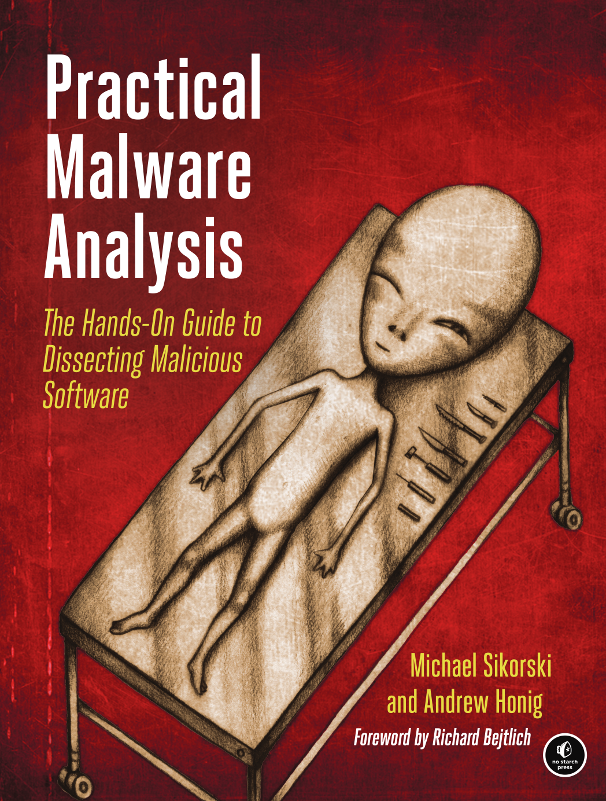
- Practical Malware Analysis is focused on Windows XP, but may still be the best (but no longer the only) book available.
- From No Starch Press, which owns the image below.
- Paper and electronic formats, of course. Includes exercises on real (declawed) malware.
- Notice the alien peeking.
What does Malware Analysis have to do with Document Engineering?
Malware Analysis tends to ask a lot of the same questions that our Document Engineering community works with, such as:
- Malware can be viewed as a particular type of document.
- Hence we can consider questions related to creation, whether manual or automatic.
- Dissemination of malware is an interesting social and technical problem.
- Malware is usually designed to be stealthy, and not easily read and understood. To be more specific:
- Malware can be polymorphic, that is, able to change over time, by itself
- Systems for automating the malware authorship process are available, and (apparently) in wide use.
- Malware analysis tends to produce documents related to the specimen
- such as disassembler output, debugging logs, execution traces, network logs, and so forth.
- Systems for dealing with large sets of related documents is our specialty, is it not?
- When are objects similar? Are there families of objects? How can we characterize them? How can we classify them?
- We will demonstrate visualization of malware and malware families.
- Who created this object, and how? Attribution is an interesting and hard question.
- Specific document processing tools and formats, including Word and PDF, have been used as malware attack vectors.
- What can or should be done?
- Malware analysts (like all analysts) make their living by writing reports. Can the data in those reports be mined?
- Tons of open-source threat reports on malware
- Often in the form of blog posts, or white papers
- Many reputable cybersecurity firms publish these
- Elephant in the room! What role(s) can AI, especially Large Language Models, play in the realm of malware?
Tools of the Trade
- Use of virtual machine software such as Virtual Box is essential, but is not
without trade-offs.
- There are people who do malware analysis on bare metal...
- The use of a cloud-based combination static/dynamic analysis utility is often (but not always) a good first step.
- Hybrid Analysis or ANY RUN provide quick analysis, as does the VirusTotal utility:

testing VirusTotal on one of the Lab exercises from PMA, we see that the various A/V scanners fail to agree!
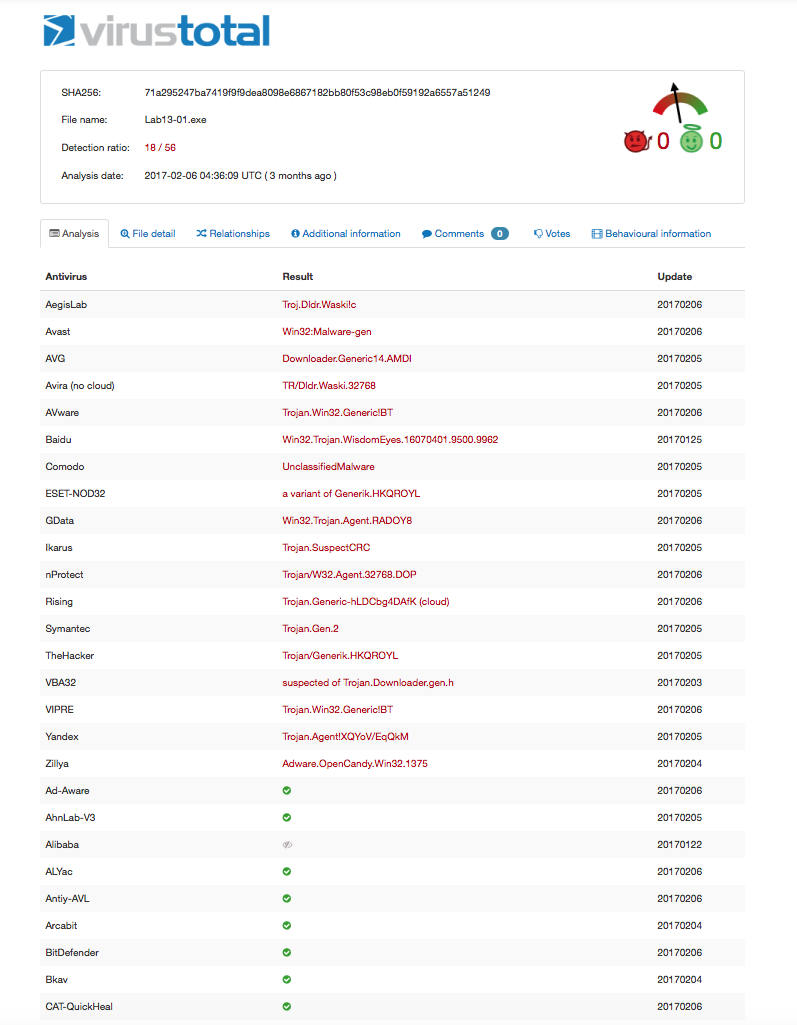
- Hybrid Analysis or ANY RUN provide quick analysis, as does the VirusTotal utility:
- Since VirusTotal keeps a record of every file it sees, users may choose between redoing an anlysis,
or just returning the earlier results.- When would analysts want to use such a tool?
- When would malware authors want to use it?
- Process Explorer (in Sysinternals) has the option of uploading process images to VT for scanning!
- According to VirusTotal, this tutorial web site is clean!
- If a cloud-based triage tool tells you what you need to know, great!
- Otherwise, you need to dig deeper, starting with
- Discuss use of Virtual Box.
- You may need to purchase more RAM for your laptop, so that you have at least 8 gigs available.
- A Windows VM may need about 4 gigs of RAM
- Keep host OS as uncluttered as possible. Expect it to become corrupted, so...
- Keep copies of clean installs, as snapshots as well as exported appliances
- Shared folders are convenient, but have their risks
- Make backups of VMs using the clone function
- Don't use the same VM for malware analysis and on-line banking :-)
- Become comfortable with building new VMs.
- Dropbox is useful! Especially since the Dropbox folder can be shared between the host and one or more VMs.
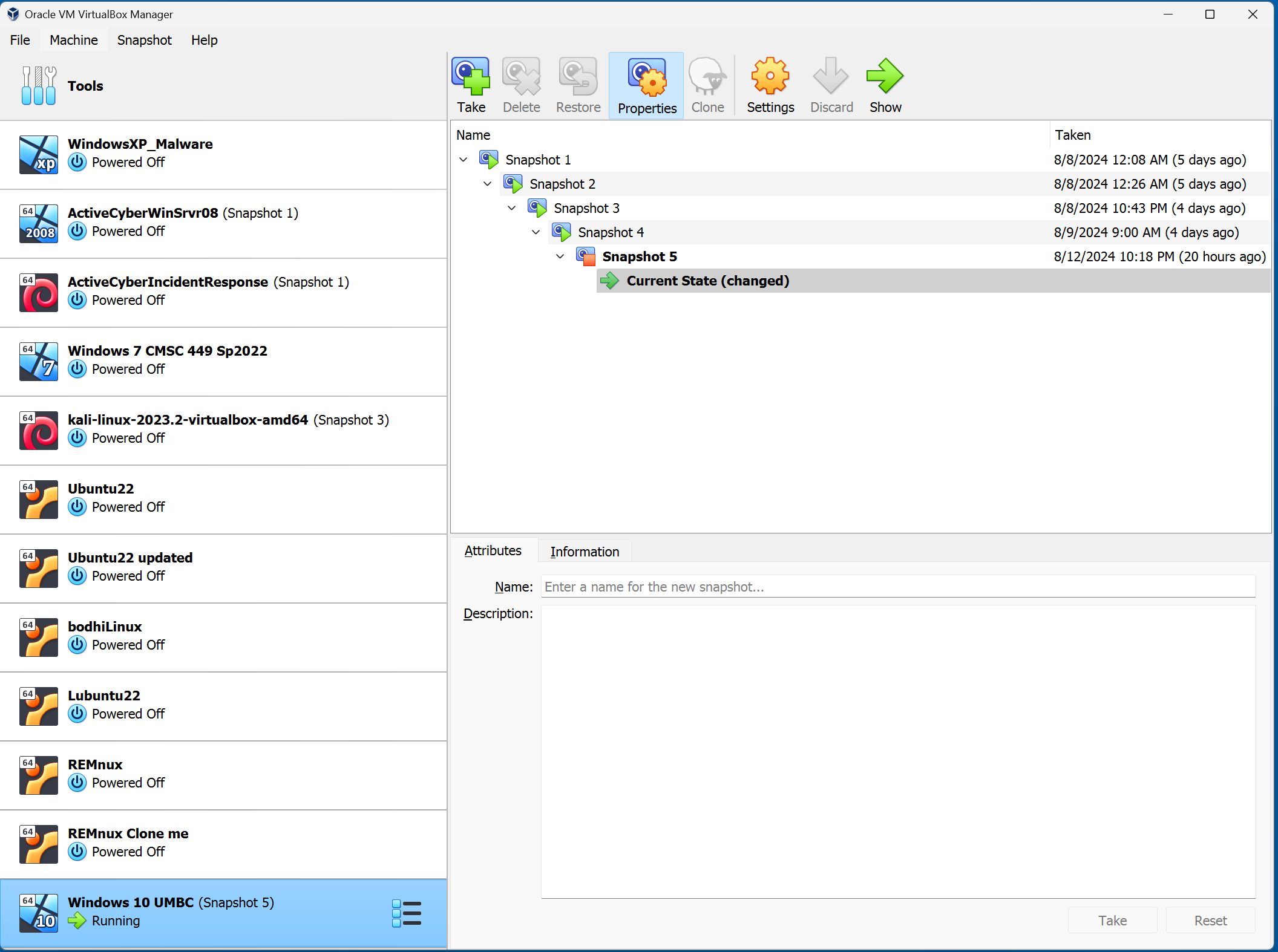
- Screen shot of VirtualBox's main menu - newer versions look about the same.
- I like keeping a recent version of Ubuntu available
- Good idea to make a fresh, separate analysis VM for each specimen being analyzed!
- You may need to purchase more RAM for your laptop, so that you have at least 8 gigs available.
- Tools for malware analysis fall into several categories
- Utilities for triage or quick and dirty analysis
- What do we mean by triage and in-depth?
- cloud-based tools such as VT
- static summary tools, such as Detect-it-Easy
- platform-specific utilities such as Microsoft Sysinternals.
- We recommend Russinovich's books on Windows Internals.
- You'll need a disassembler such as IDA Pro or Ghidra.
- A decompiler is a big help to malware analysts who may not be black belts in assembler language!
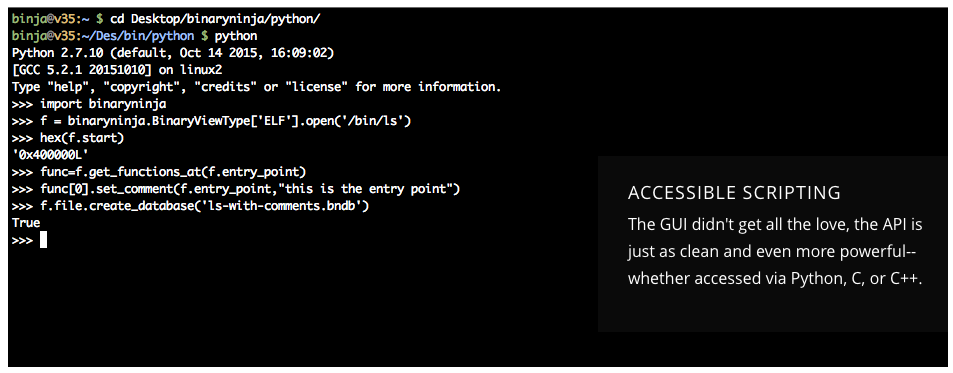
- Binary Ninja is an alternative to traditional disassemblers, since it can be used through a GUI, or in notebooks.
- An example from the Binary Ninja GUI
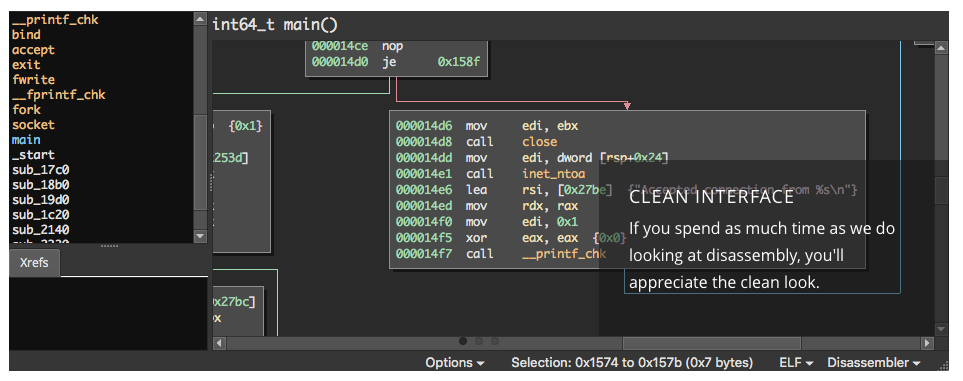
Binary Ninja has a scripting feature
- Other tools
- A debugger such as Immunity, or x64dbg, or all of the above.
- but Ghidra now includes a debugger, which you can use for Windows and Linux
- A network monitor such as Wireshark.
- Use sudo apt-get install wireshark to get wireshark for Ubuntu and other flavors of Linux.
- Virtual Box has some network monitoring of its own.
- FakeNet-NG is good for imitating the Internet, but the cool kids don't use this much anymore.
- Reference databases, such as MSDN Documentation
- Ordinary system utilities, such as IDEs for C and perhaps assembly.
- Nicholas is used to emacs and make, but you may prefer Eclipse.
- [De]compression utilities.
- Malware is usually saved in compressed and encrypted form.
- I usually have 7-Zip installed on my malware analysis VMs.
- A Zip file with the password 'infected' is safe to email, or so one would think.
- You might like to configure a VM or two with these tools installed.
- Once you like it, make a copy in a safe place, so that it can be cloned as needed later.
- Flare-VM comes with every tool you're likely to need!
- REMnux features a basic set of tools, adequate for a lot of analysis
- Utilities for triage or quick and dirty analysis
Platform-specific Utilities
- All kinds of utilities use various hashing schemes to refer to particular malware specimens
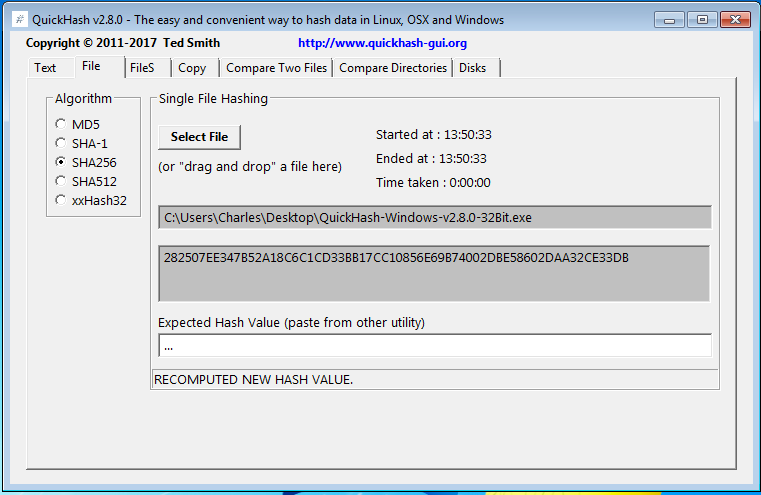
- For computing MD5, SHA-1, SHA-2*, and more on Windows we suggest QuickHash.
- Feel free to download and unzip that, too.
- Example of running QuickHash on itself.
- As an aside, some hash functions that preserve similarity exist, such as ssdeep and sdhash.
- People are also using compression-based similarity for this purpose. (See for example Raff and Nicholas, KDD 2017)
- What can we see in a binary?
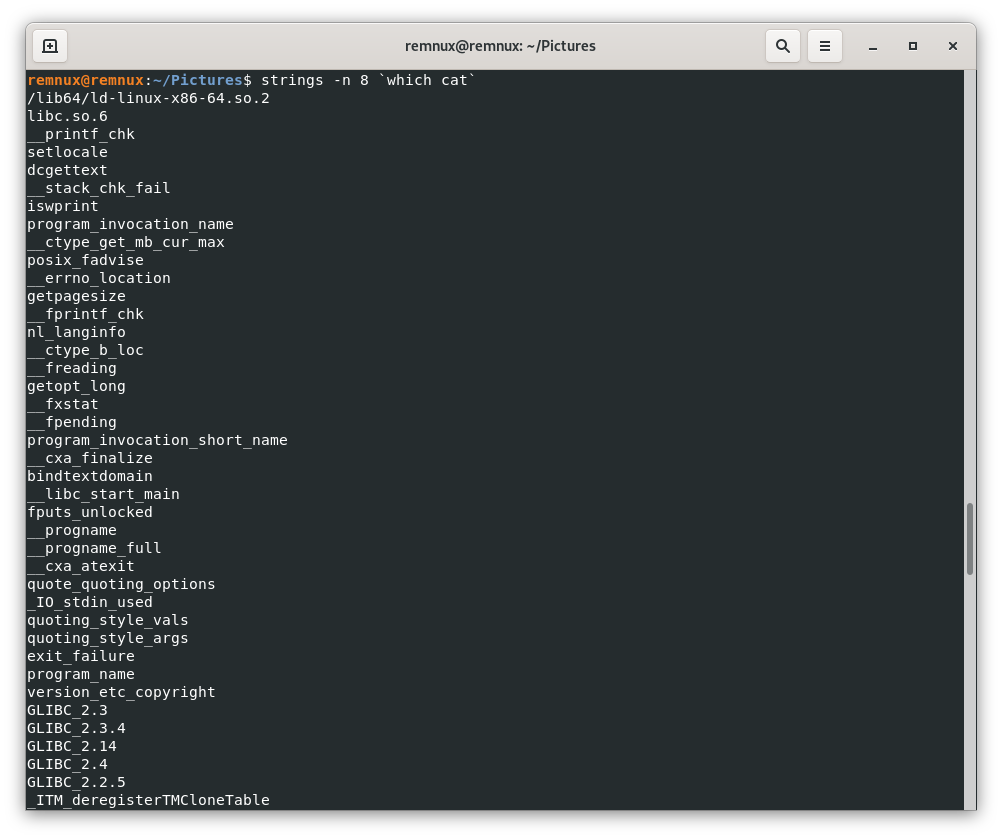
- Demonstrate the strings
command (from a UNIX) shell, using WinMD5.exe, or the strings command itself:
- on UNIX, try "strings -n 8 `which strings`"
- System calls, registry keys, and web sites that seem out of place usually are!
- Recall that Strings is one of several utilities bundled up in Sysinternals.
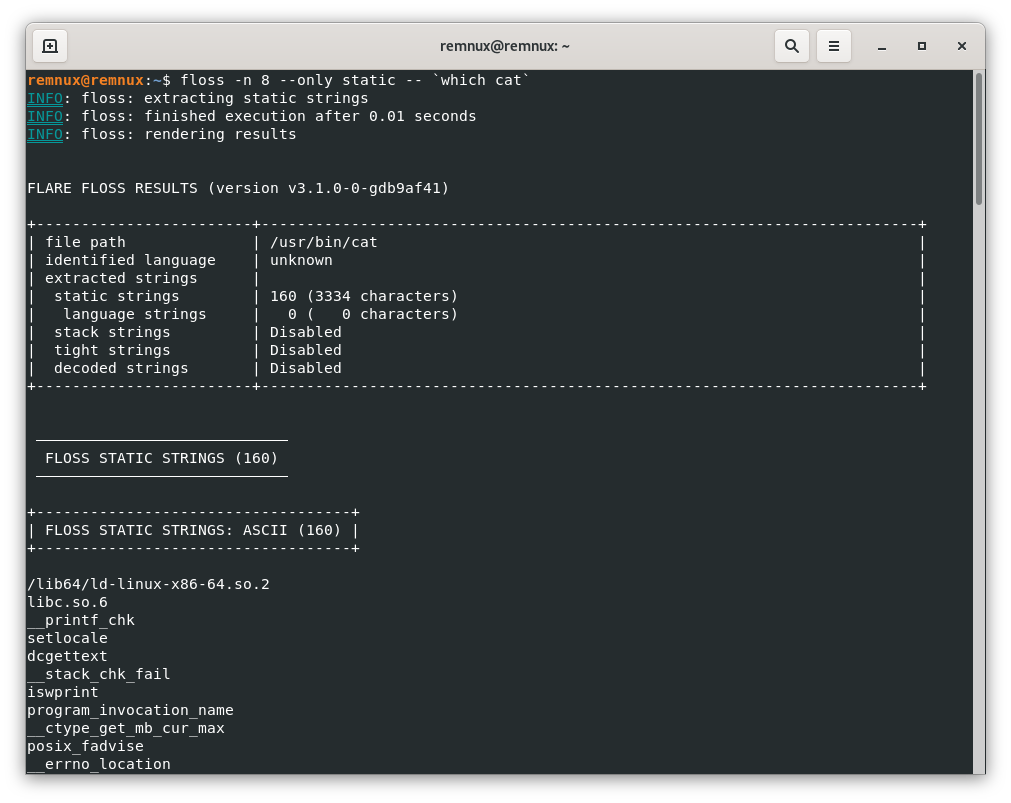
- The cool kids use floss instead of strings, e.g. "floss -n 8 --only static -- `which floss`"
- floss is better at finding and deobfuscating strings
- A hex editor such as HxD (or wxHexEditor on REMnum) is a useful addition to your tool kit,
- although many tools (even emacs) provide similar functionality.
- Malware is usually packed, to avoid A/V, to make analysis harder, and to make a smaller footprint.
- Obfuscation is widely used in malware, especially crimeware.
- There are a variety of pack/unpack utilities available, and sometimes other tools know about them.
- UPX is a widely used pack/unpack utility. Packing is not the same as compression.
- Good overview of unpacking and patching an executable binary.
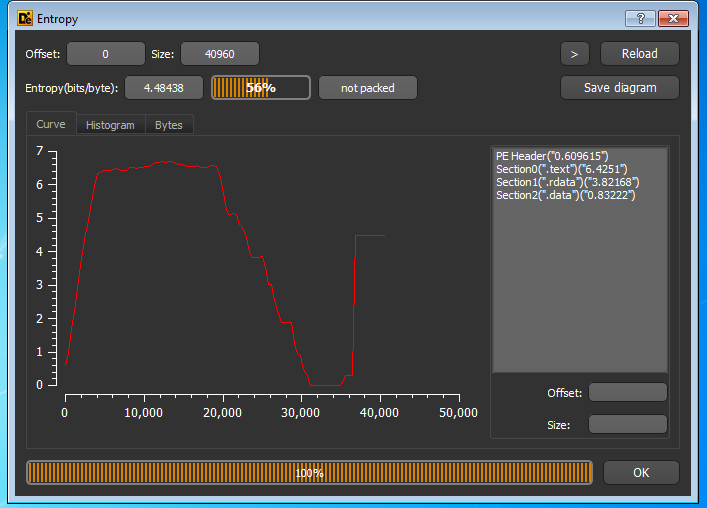
- Being able to measure the entropy of a file, or part of a file, is useful.
- See “Using Entropy Analysis to Find
Encrypted and Packed Malware.”
IEEE Security & Privacy Magazine, 2007, pages 40-45. DOI - It turns out that entropy can tell you a lot.
- Calculating the entropy of a PE file on a section by section basis has also proven useful.
- See “Using Entropy Analysis to Find
Encrypted and Packed Malware.”
- Knowledge of x86 assembler and Windows system internals can be really useful.
- but the less assembler you actually need, the better!
- The focus in this tutorial will be on Windows more than any other platform.
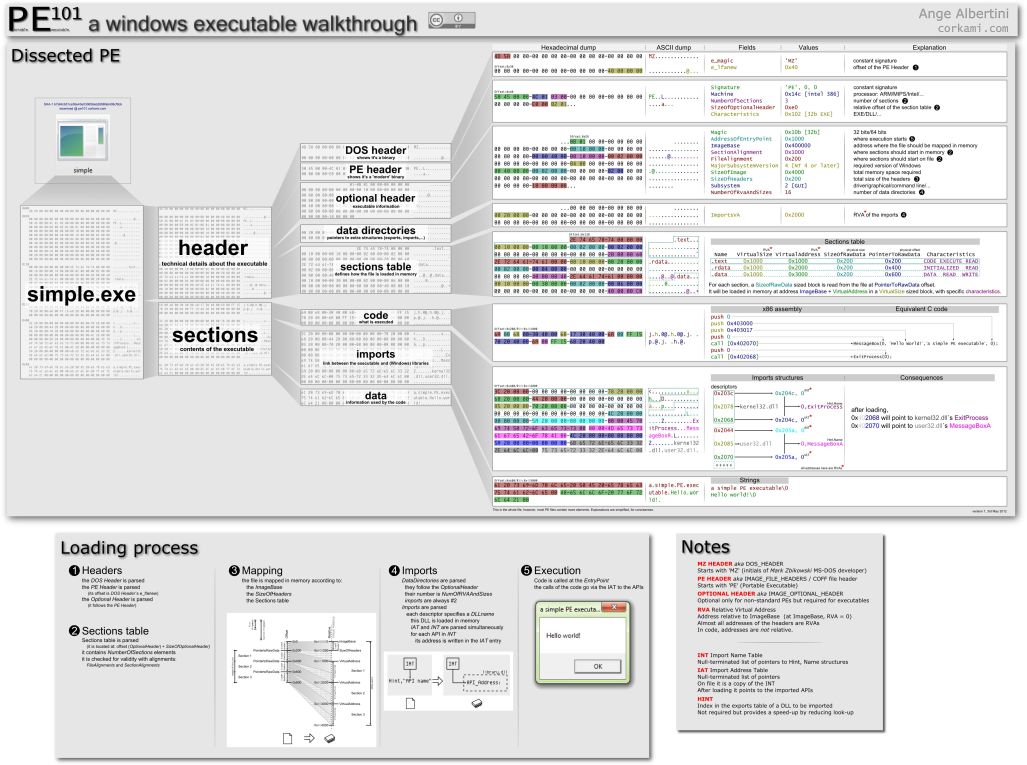
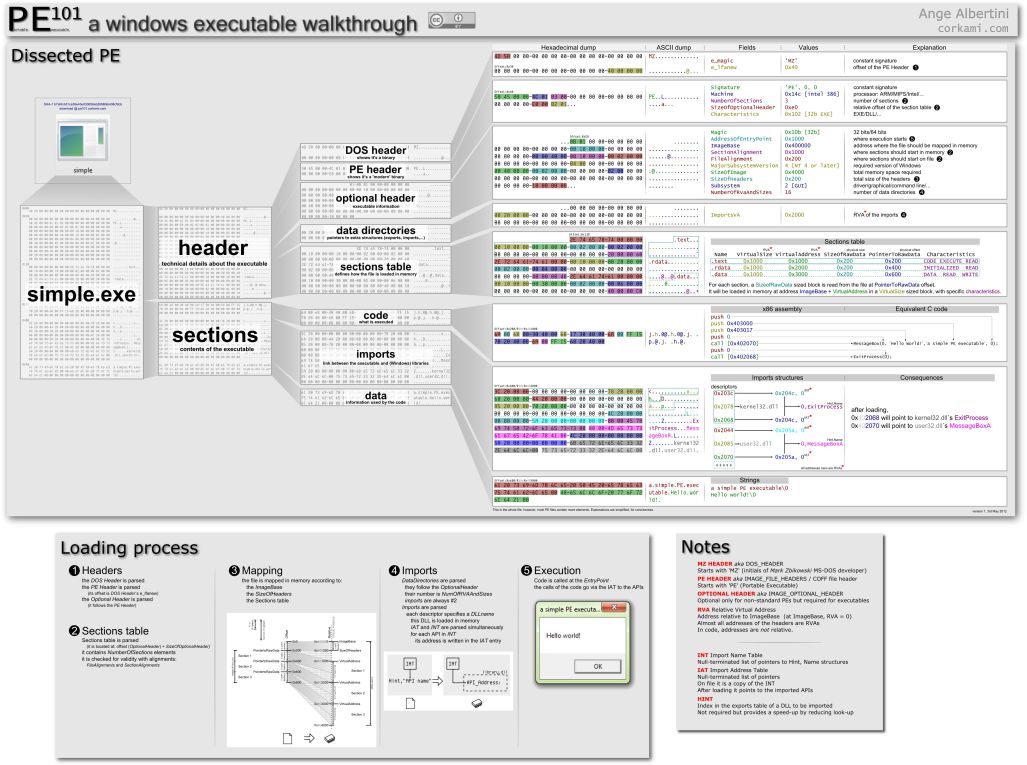
- The Portable Executable File Format is described in
detail at this
Wikipedia article
- which refers to this spec from Microsoft and this PE poster
- and this article which describes the smallest possible PE file.
- The PE header can tell us several things, and along with
the strings command,
- e.g. whether the file has been packed or obfuscated.
- The Portable Executable File Format is described in
detail at this
Wikipedia article
- A tool called Detect It Easy has lots of features usually found together in more complex packages.
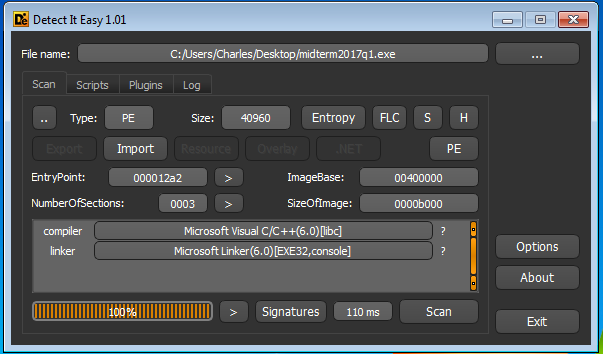
and entropy can be quite informative...
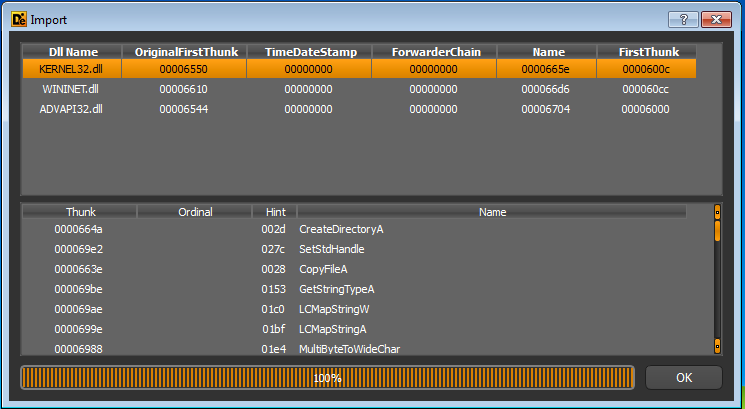
but the functions which the program imports can often tell you about its functionality
- In case you need more PE tools, see this post from Malwarebytes Unpacked.
- Anecdotal evidence suggests that people pick their favorites, and use them.
- I happen to prefer DiE over many others.
- Demonstrate the strings
command (from a UNIX) shell, using WinMD5.exe, or the strings command itself:
Static Analysis: Disassemblers and Such
We can demonstrate IDA Pro, but before using IDA, a triage step using VirusTotal or pestudio is in order.
- There are a variety of PE tools available,
- even though DiE does most of what we need
- so we use that in this tutorial
- Here is a simple C program
#include <stdio.h>
#include <windows.h>
int main()
{
SYSTEMTIME lt;
GetLocalTime(<);
printf("The local time is %02d:%02d\n", lt.wHour, lt.wMinute);
return 0;
}
- A link to this code, in case you don't want to type it in yourself. The program should compile and run as expected.
- You might be surprised as how much one can learn from the PE header.
- Opening the executbale binary for this short C program file in IDA, we see
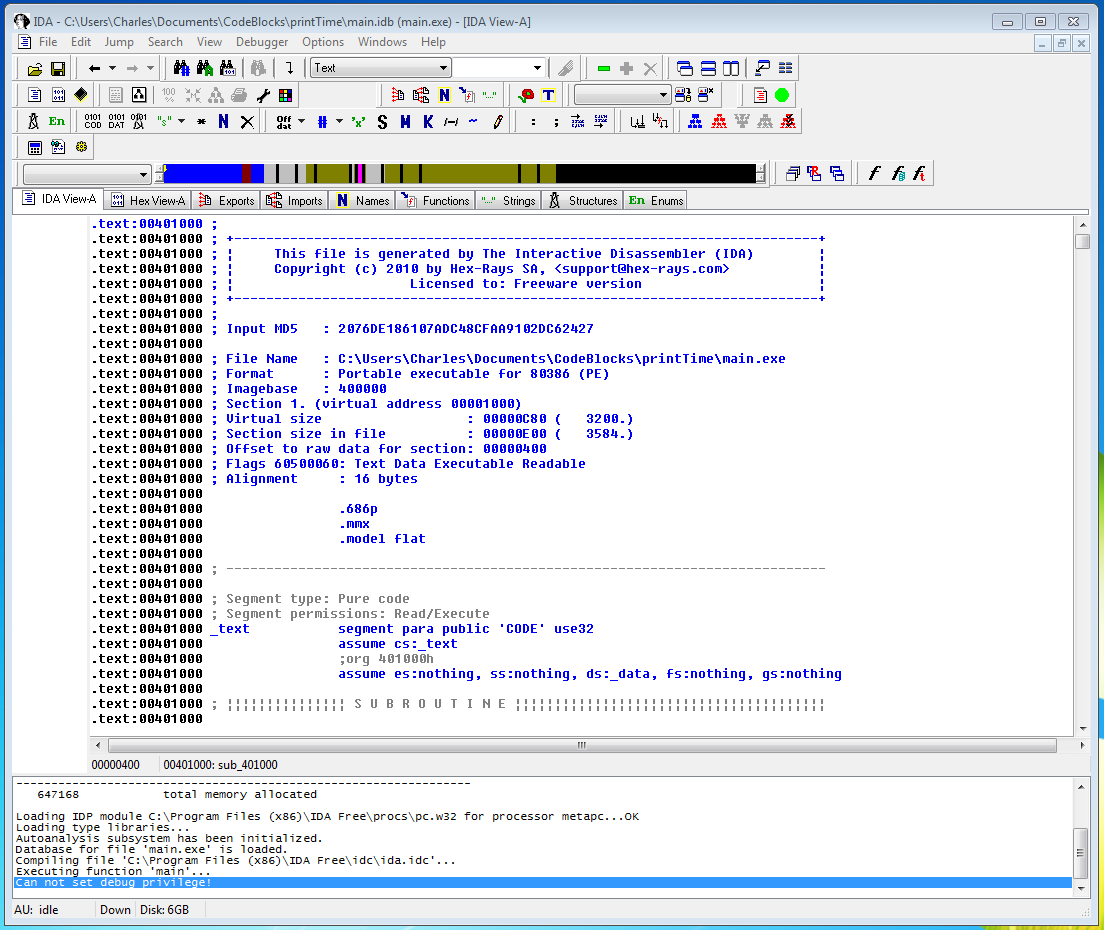
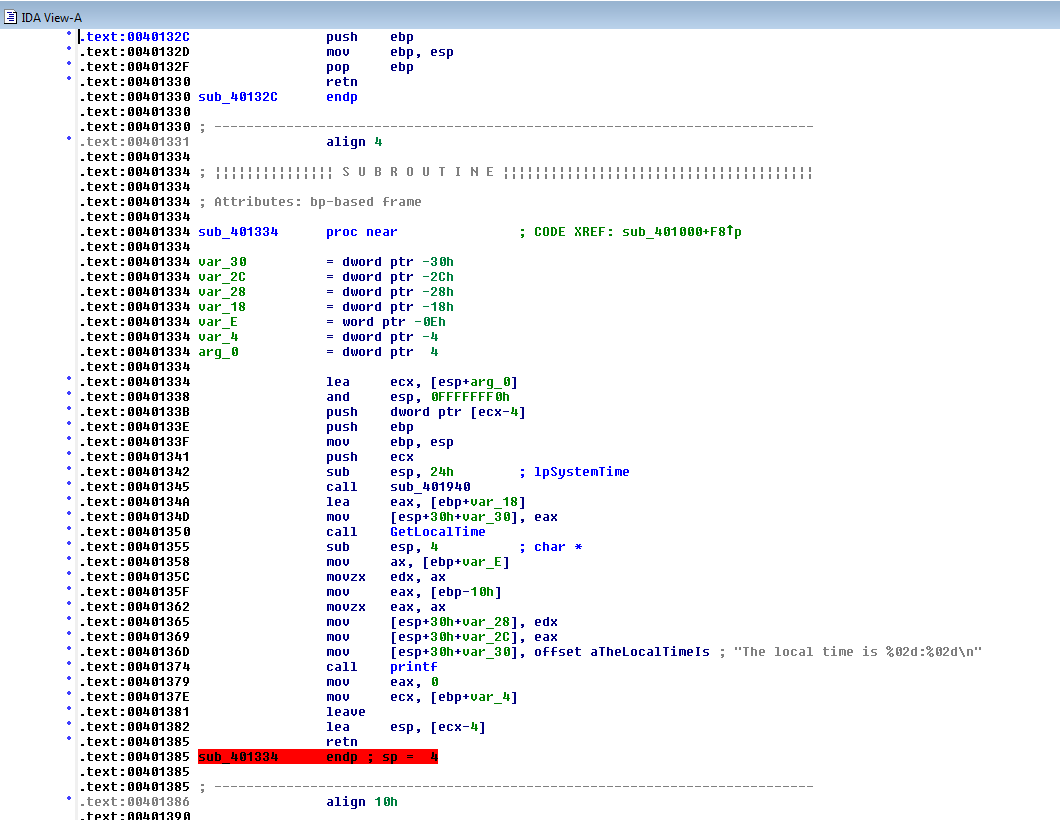
- and a little lower, we see code we recognize.
- Windows and CodeBlocks put a bunch of library code in as well,
- which makes the executable larger than the raw .o file would suggest.
- The red area indicates the program's end.
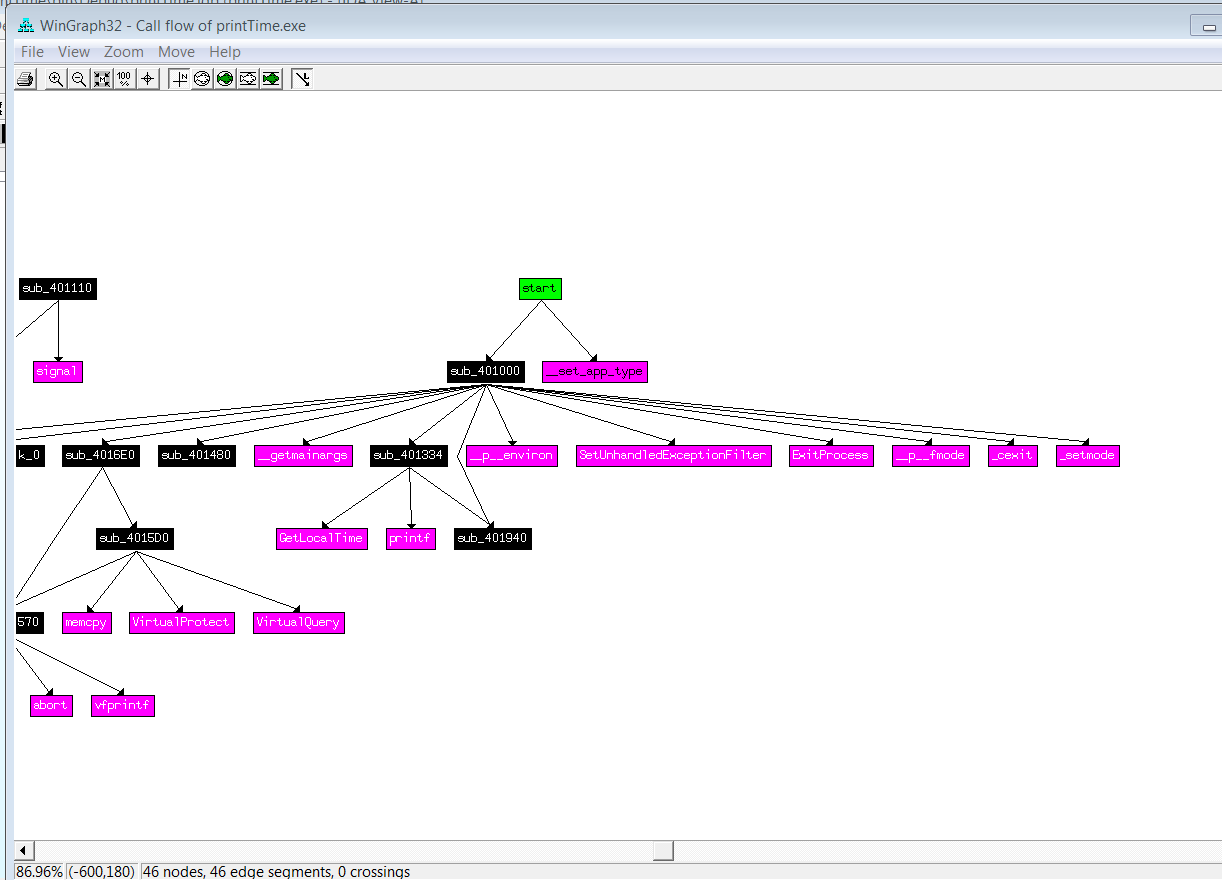
- and we can see the call graph
- Of course IDA also lets us look at strings.
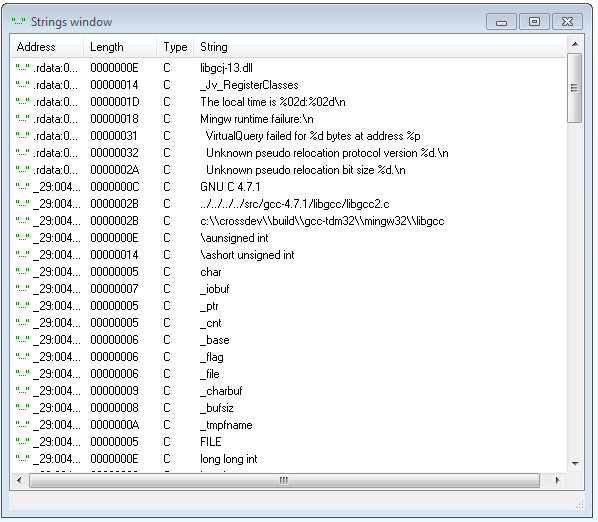
- But you won't see much if the file is packed,
- which is something that the PE utilities can tell us. (More on unpacking later.)
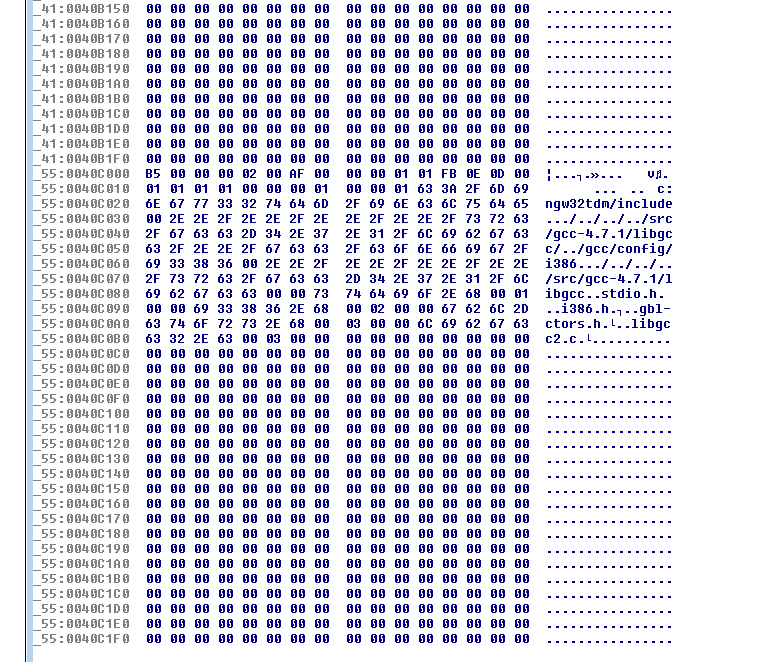
- The hex dump will take you back to your undergraduate assembler programming days, perhaps.
- May also indicate where buffers might be located later, if and when the file unpacks itself.
- The libraries the binary imports may tell you a great deal.
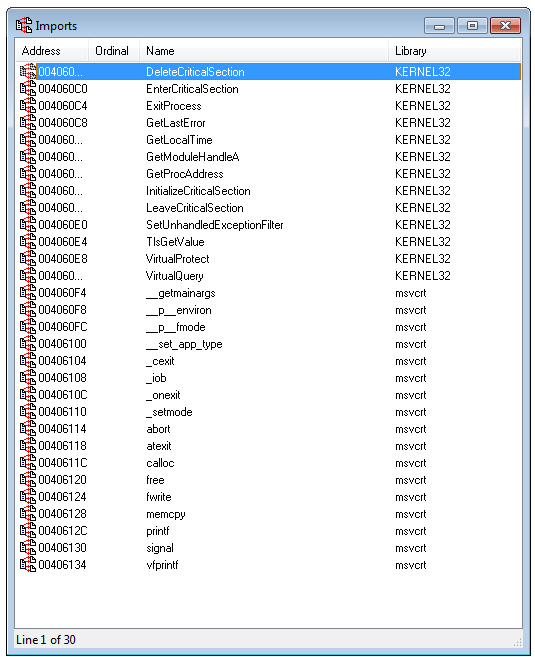
- This is obviously a C program, with no remarkable system calls.
- But if we had seen low-level keyboard hooks, or registry access, we'd be more suspicious.
- But if we had seen low-level keyboard hooks, or registry access, we'd be more suspicious.
- Now compare to a file we know to be be malicious! Let's look at Lab03-04.exe from the PMA book.
- PMA comes with an ensemble of sample binaries for analysis, which is very handy!
- There are a variety of PE utilities, some supported, others not.
- Using DiE, we can take a quick look at Lab03-04.exe
- Is there anything suspicious? If not, this screen shot wouldn't be here!
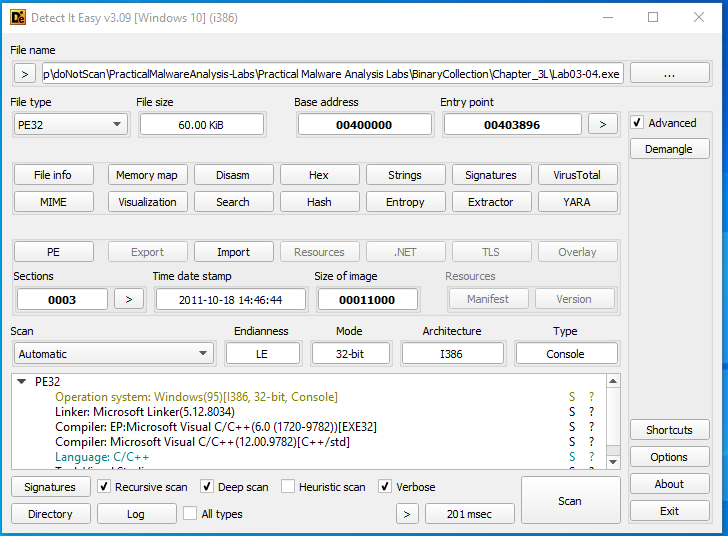
Select the memory map, and we see
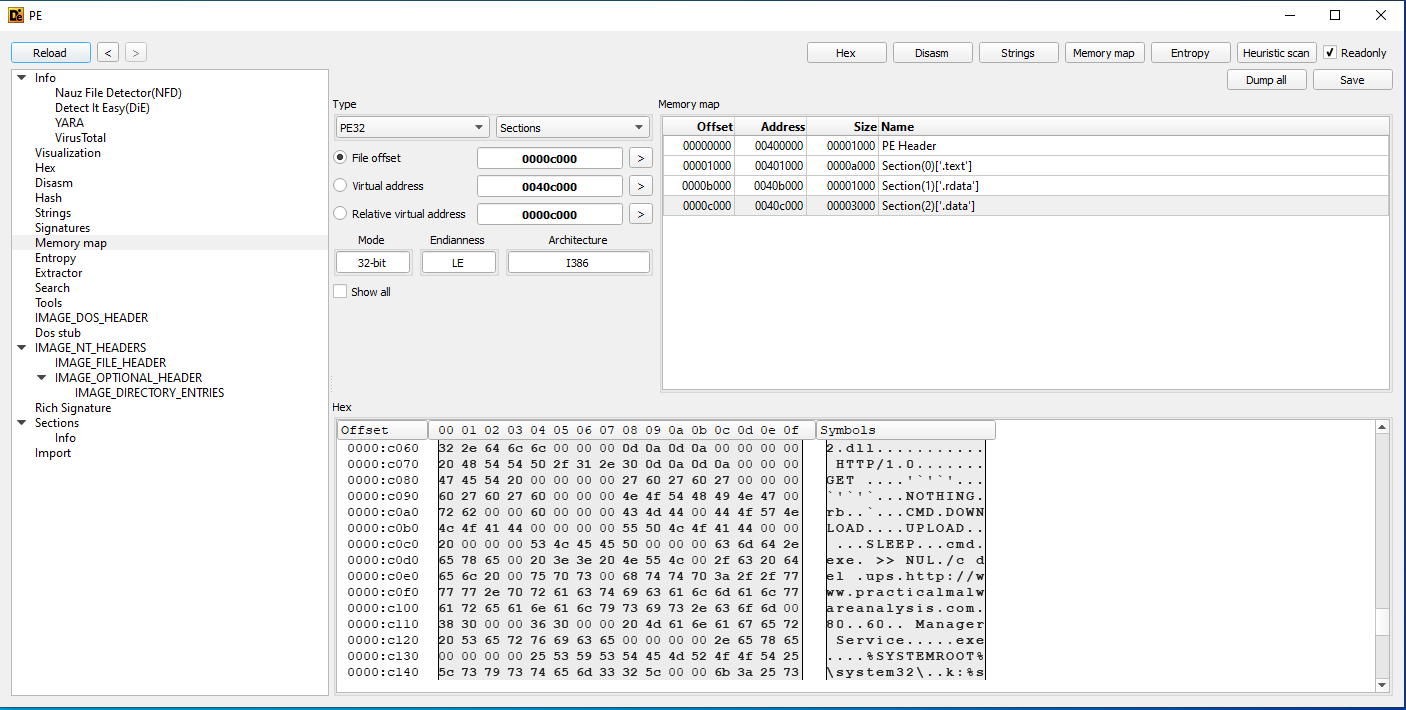
- In IDA, we can see some other malware indicators, apart from the strings mentioned above.
- This is the point where we might demo Ghidra...
- The program has a mix of system calls, including file system, registry manipulation, socket calls, and then
- this program is building an http header, without being a browser?
- Suggests an HTTP backdoor, which is malware that sends information to a web server run by the attacker!
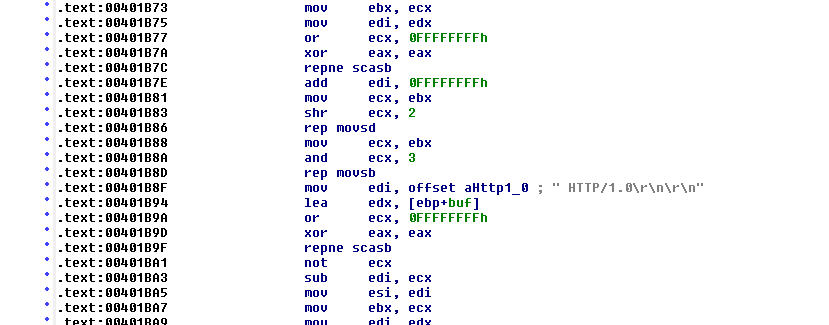
- and a call to sleep, without any obvious reason.
- Sleep is sometimes used to hide (or delay the appearance of) functionality that would otherwise appear suspicious.
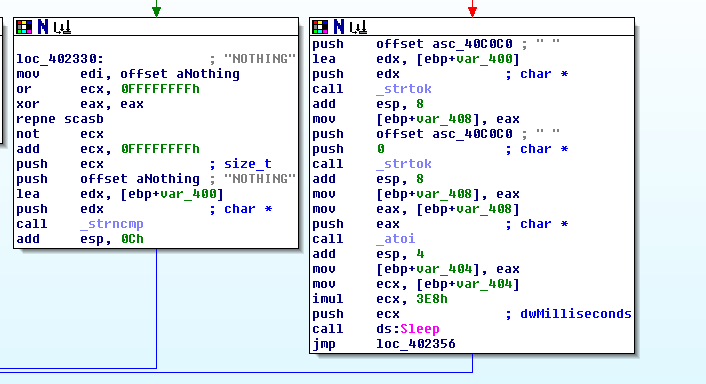
- Sleep is sometimes used to hide (or delay the appearance of) functionality that would otherwise appear suspicious.
- IDA and Ghidra have debugger capabilities, as well as static program analysis.
- The IDA Pro Book by Chris Eagle is available from No Starch.
- The Ghidra Book by Chris Eagle is also available from No Starch!
- Aside from Ghidra, other alternatives to IDA exist, such as radare2, and Hopper for OS X and Linux.
Dynamic Analysis
- Before going farther, make a snapshot of your VM.
- Disconnect your VM from the network before beginning dynamic analysis. Make sure you know how to do this!
- The Process Explorer program (included with sysinternals) gives even more detail.
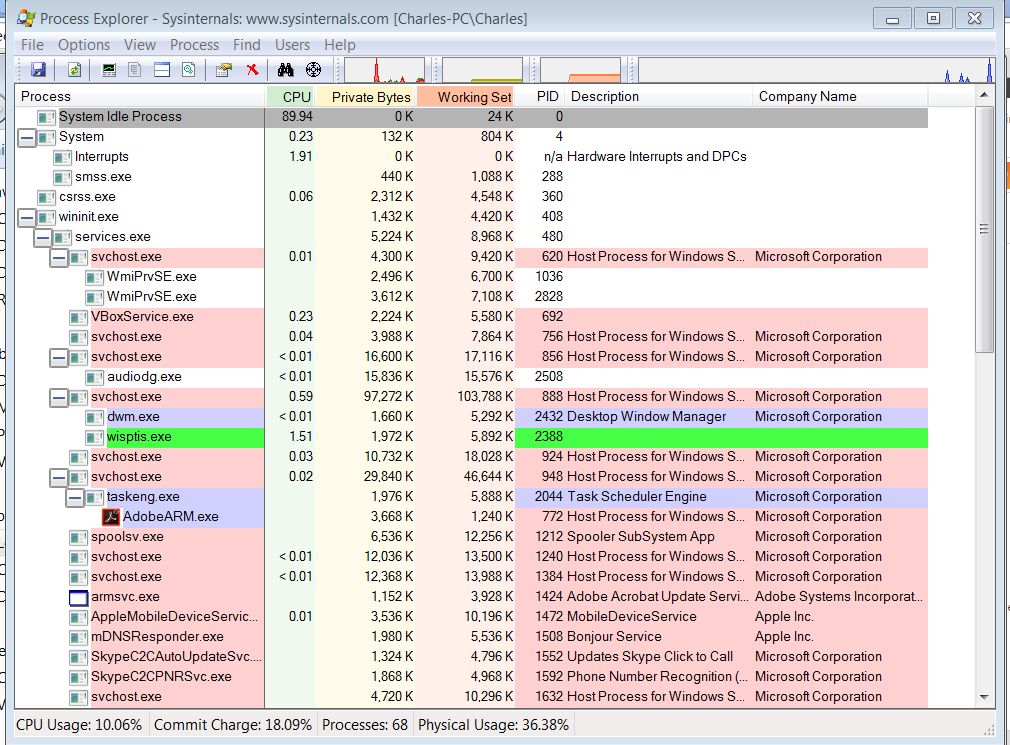
- Process Explorer may also let us watch what happens when documents are opened using Word or a PDF viewer.
- If you open such a document and see unexplained activity, a malicious document may be the explanation.
- Dynamic analysis may involve just running the program, to see what network activity or file system changes can be noted.
- This includes changes to the Windows Registry. Do we all know what that is?
- Registry snapshots can be made using regshot.
- In case you haven't done this...
- Careful! Some unpackers have to execute the suspect program in order to have it unpack itself.
- Make a copy of Lab 3-4 on the desktop. Let's just run it and see what happens!
- Now open the file with a debugger and see what we can see
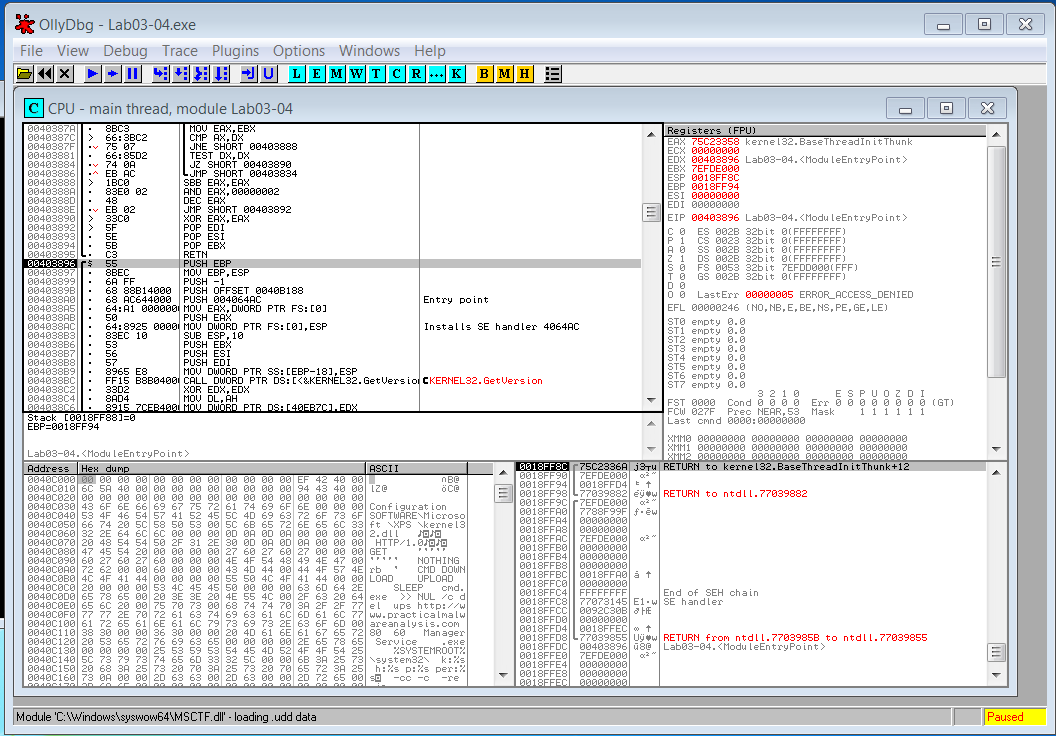
- Eventually the process terminates
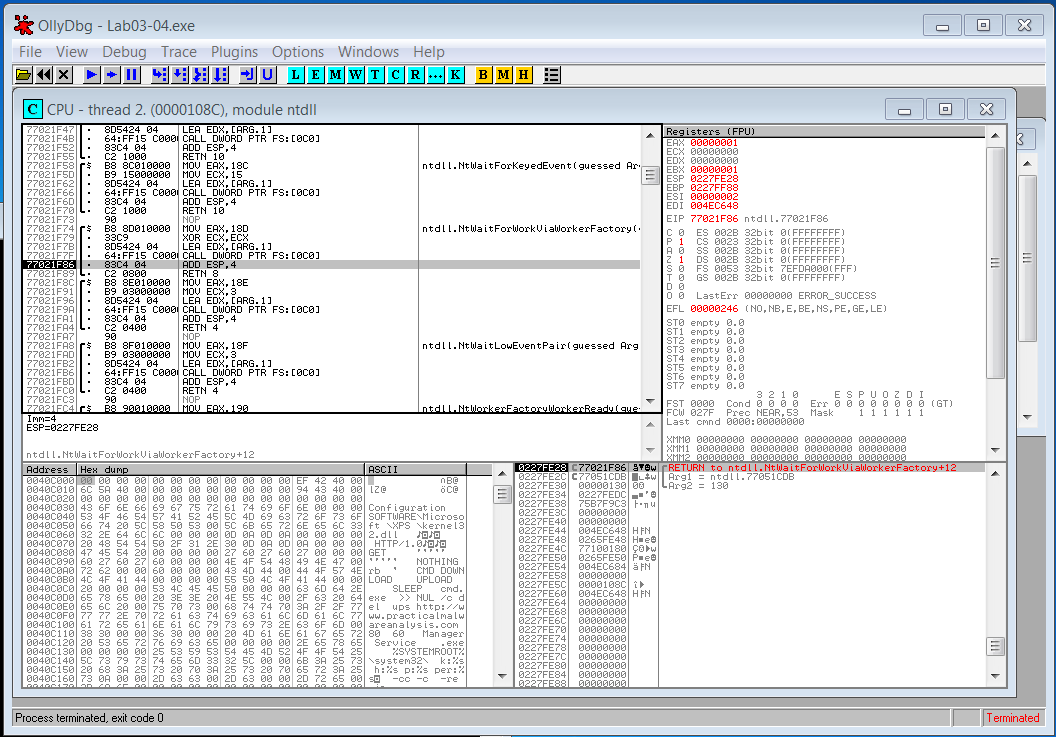
- But the program acts differently when being debugged...since the file is still where it was.
- Can we figure out how the file deletes itself on termination? Or how it knows to behave differently when being debugged?
Malware Analysts Write Reports
- Description of the malware
- name, size, date acquired and how
- MD5 and/or SHA hash
- other metadata
- results from VirusTotal and similar utilities
- what kind of malware? Windows executable? VBscript? Exploit kit?
- name, size, date acquired and how
- Results of analysis, whether static or dynamic
- Excerpts from tools like PEStudio and IDA, such as
- What does the malware do?
- How does it achieve execution?
- How does it achieve persistence?
- Does it communicate with the outside? How? What IP addresses are involved?
- Is there anything unusual about this specimen?
- Is this specimen similar to anything seen before?
- What damage is done? How can the damage be repaired?
- How does this malware spread?
- Who produced it, and why?
- Such malware reports are the format we use for exam questions in the semester-length course. Take home tests.
Malware Analysis in the Large vs. Malware Analysis in the Small
- You will have seen how malware analysis zooms down into details very quickly.
- In my opinion,
- study of families of malware has received relatively little attention
- visualization tools are not yet used as widely as they should be
- Using the whole malware binary for clustering can be problematic.
- The IMPORT table can say a lot about the malware, and
- specimens that call the same functions in the same order can be called "similar" in a useful sense.
- Tracking Malware with Import Hashing.
Research Questions - Current and Future
- Most malware is obfuscated, or at least packed.
- that makes static analysis more difficult
- use of custom packers can be a clue for attribution
- The time is ripe for research on dynamic analysis, for example:
- limited use of dynamic analysis, with automation, has potential
- can we automatically run a specimen until such time as it has unpacked itself as much as possible?
- and then dump memory to create an executable that can be analyzed using static methods
- virtual machines can trace execution, but
- recording each instruction generates a lot of data very quickly
- specimens with similar execution traces would be interesting
- but it's still hard to search such large collections of BLOBs (binary large objects)
- searching a large collection of malware specimens is still hard - traditional IR, even n-grams, doesn't help a lot
- Anti-virus vendors can assign different names to the same malware, which leads to confusion and wasted effort
- We can mention some recent work on this problem, such as Measuring and Modeling the Label Dynamics of Online Anti-Malware Engines
- A lot of machine learning is applicable!
- Learning to Evade Static PE Machine Learning Malware Models via Reinforcement Learning
- deep learning, as in Raff et al Malconv
- Automatic signature generation
For Further Study
- Android malware is becoming quite important.
- How can you protect yourself from malware? Live off the grid, or
- Use separate VMs for work and personal activity.
- Practice good cyber hygiene: don't reuse passwords, and make them hard to guess
- Keep your software up-to-date, AV but everything else, too
- Make backups!
- Beginning malware analysts (and experienced ones too) can find the variety of tools for malware analysis daunting, especially for the Windows environment.
- Deal with it.
- What separates the best malware analysts from the wannabes?
- Problem solving skills
- Experience!
- both yours and others
- Tenacity!
- Willingness to learn new stuff.
- Willingness to invent (or invest in) new tools.
- Lots of security blogs deal with malware analysis topics from time to time.
- New tools come out from time to time.
Comments, corrections, and suggestions to improve this tutorial are welcome! Send email to Prof. Nicholas.
Thanks!