Importing Files
- Create a new project with the name "Lab5"
- Create a new package with the name "lab5"
- Download the following files and save them to your directory of preference (Use the desktop if you are not sure)
- Download the Lab5 class here
- Download the MyVector class here
- Download the VectorMath class here
- To import the files
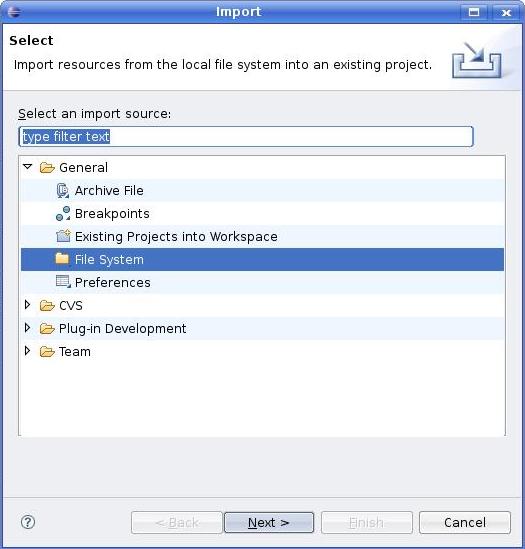
- Go to File->Import
- Select File System and click next
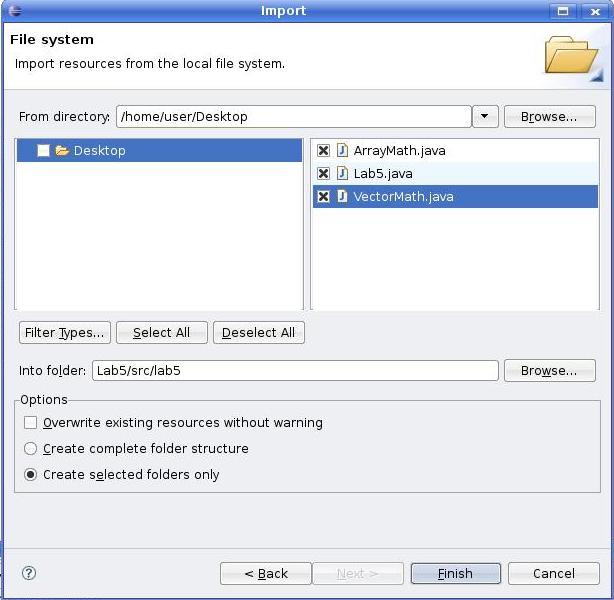
- Browse to location of the files, which is the folder into which you saved them
- The Into folder that it asks for is "Lab5/src/lab5" which places the files in the folder/package lab5
- Click Finish to import the files