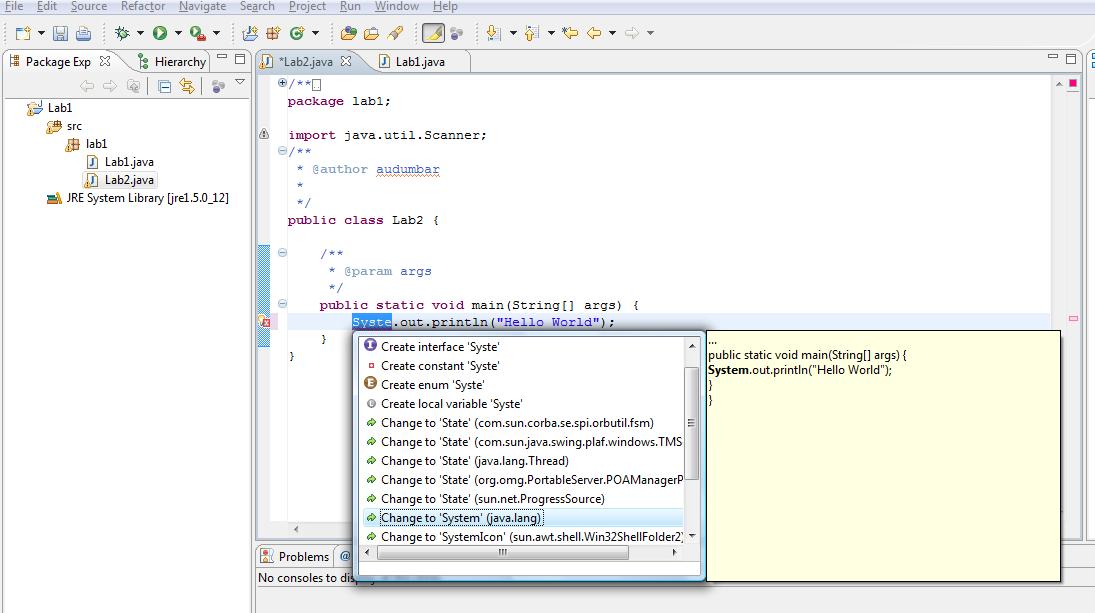
Whenever the java code file is saved, it gets compiled. Check the problems window for all the errors/warnings. If there are any compilation errors , those will also be displayed in the editor window as a red mark on the left end of the corresponding line. Move the mouse cursor to see the explanation of the error. And Console window for the output of the program.
To get familiar with it, just misspell System.out.println() and there will be red mark on the line. Lookout for the explanation of the error/warning, and make the changes. Eclipse may suggest the expected corrections for the most of the errors.